The Botanist
A multi-sensory learning experience at Phipps Conservatory that invites visitors to look closer, touch and smell, and get to know the plants.
UI design, user research, 3D prototyping, video editing
Kimberly June Blacutt, Eugina Chun, Lia Purnamasari, Audrey Reiley
Interaction Design Studio I, CMU, Fall 2023. 5 weeks, with Phipps Conservatory as client. Taught by Dina El-Zanfaly and Andrew Twigg.
Figma, ProtoPie, p5.js, Teachable Machine, projection mapping, After Effects
In a nutshell: visitors told us they wanted to touch and smell the plants, not just look. So we designed three tools that turn a walk through the conservatory into hands-on learning.
Phipps Conservatory is one of Pittsburgh's best-loved public gardens, and it wants people to feel connected to the plant world. The Botanist Glass is a smart magnifying glass for recognizing and exploring plants. The Smart Table uses machine learning to recognize real leaves and turn them into a learning game. The Memento Card is a personal recap of the plants each visitor discovered.
What do Phipps visitors need?
We spent time on site with visitors, staff and the plants themselves, around three questions: what makes a visit great, what is least enjoyable, and why people come at all.
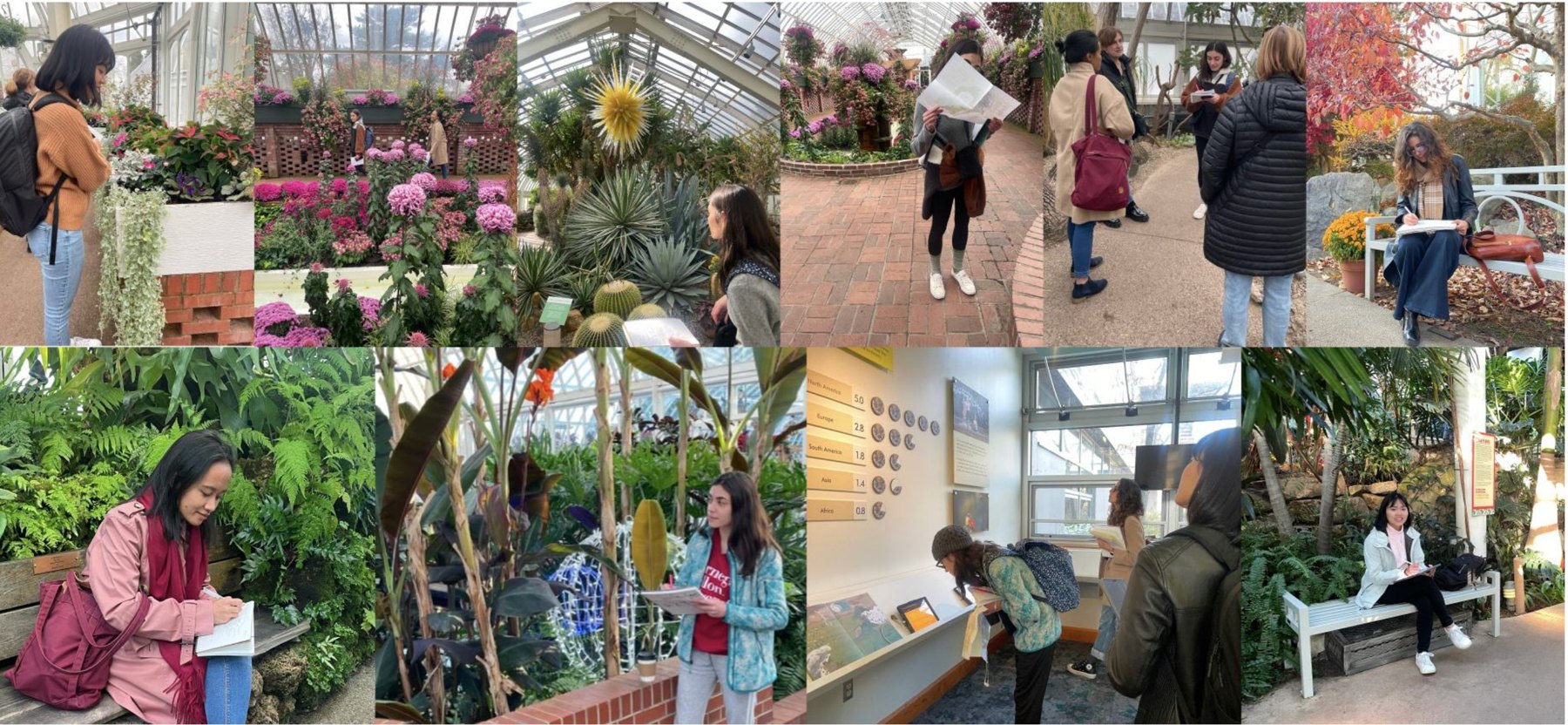
What we heard: visitors want more ways to connect with the plants
They want to engage, but only know how to look
Many interviewees wanted to smell or touch the plants to learn more about them, but weren't sure if or how they could.
Name tags aren't enough
Visitors asked for more context: where a plant comes from, how it's built, and how it connects to people's lives.
They want to really know a plant
Without ways to recognize a plant's unique traits, it's hard to understand it, learn from it, or feel connected to it.
How might we help people notice the details of the plants, so they're inspired to learn and connect with them?
We turned the insights into three design principles that guided every decision after.
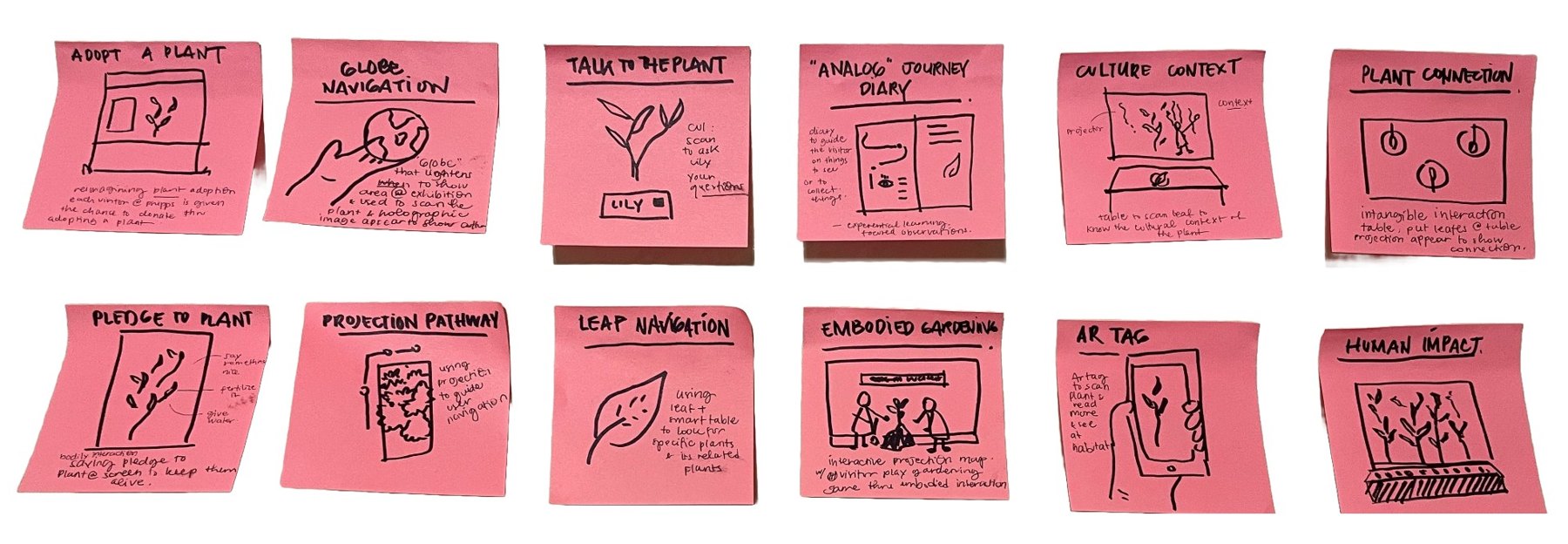
From twelve sketches to three tools
We ran several brainstorms, building on each other's ideas, then picked the concepts that best fit our principles.
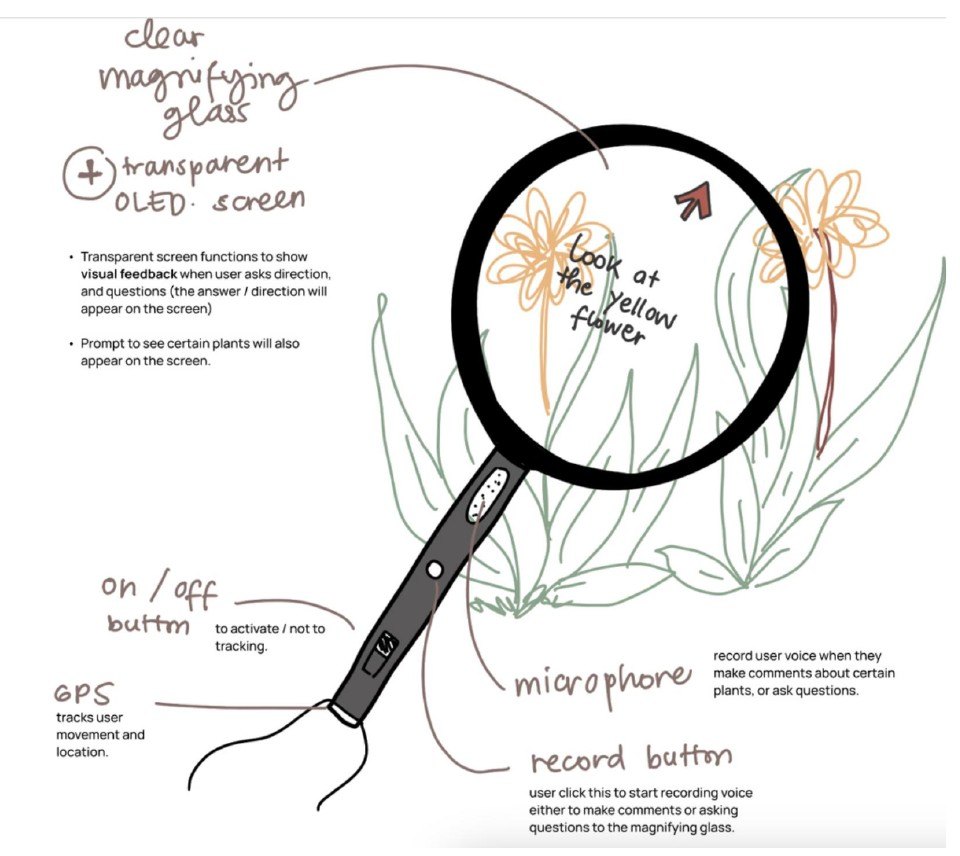
The Botanist Magnifying Glass
While researching botanical gardens and the people who study plants, I came across the toolkit botanists use. One of them, the magnifying glass, is how botanists examine plant details. I proposed it to the team because it fit our purpose and principles so well.
The Smart Table Learning Station
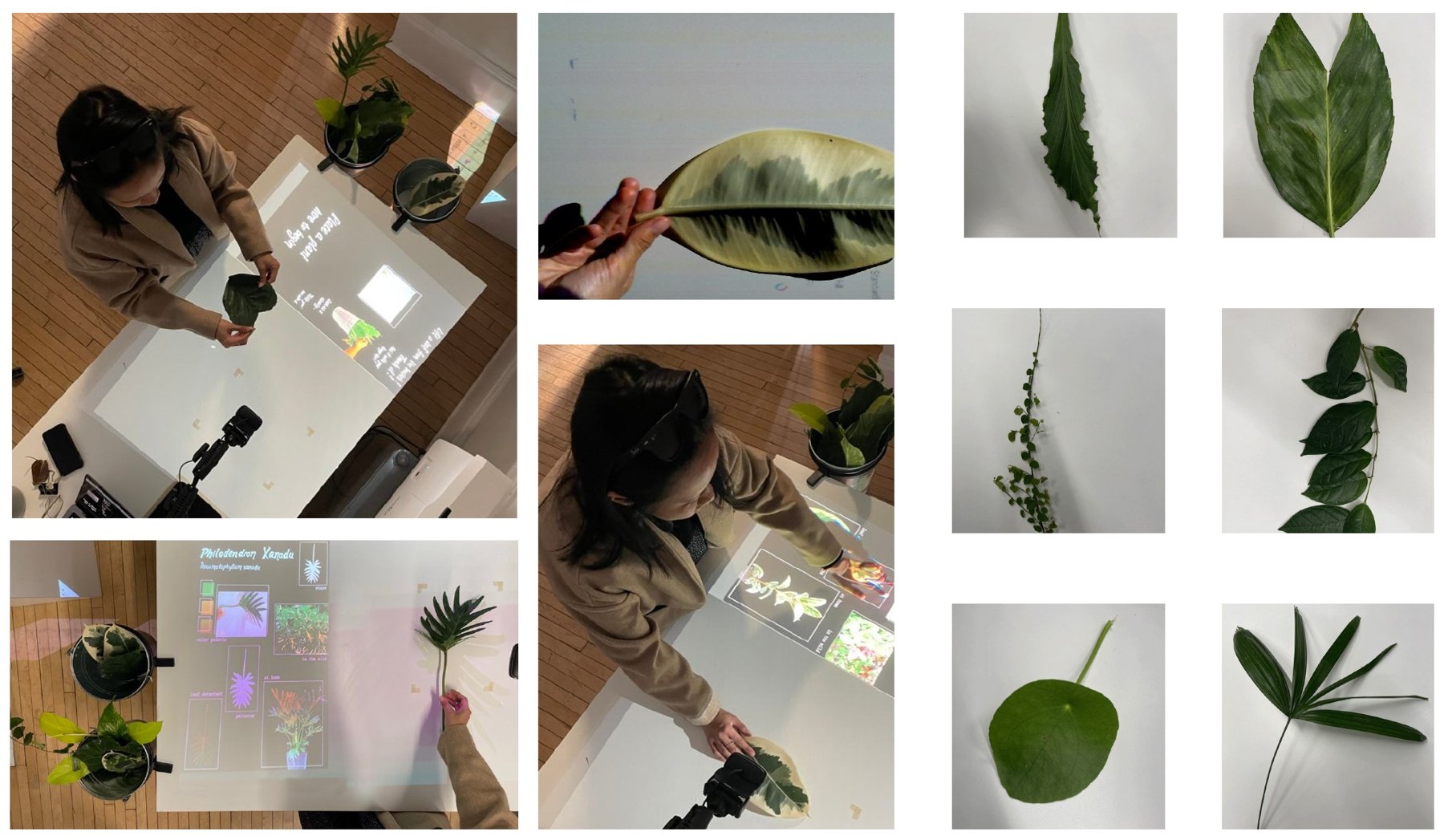
At Phipps we noticed leaves falling from the plants all day, and staff collecting them for recycling. What if those fallen leaves became a way to learn plant anatomy and new vocabulary? The smart table is the place to do that.
The Memento Card
To close the journey, visitors return the glass and receive a postcard showing every plant they discovered inside the conservatory.
Teaching a table to recognize real leaves
We wanted the table to recognize an actual leaf in a visitor's hand, not a printed card or a QR code. So we trained our own image classifier on leaves from Phipps, and connected it to a projector that responds on the table surface.
Before the demo: preparation
Turning fallen leaves into a model that can tell 14 species apart.
Fallen leaves and cuttings from Phipps' daily cleanup. The tree leaves we first wanted ran out as winter came, until we spotted staff carrying cuttings.
Photograph every leaf from many angles and label each photo by species. Several leaves per species help the model generalize.
Teachable Machine retrains a pretrained image model (MobileNet) on our photos, so a small dataset is enough. We tested it in the preview and added photos wherever it got confused.
Export the trained model and load it into a p5.js sketch. Every frame from the webcam goes to the model, and the top prediction updates what the table shows.
// p5.js sketch (simplified)
model = await tmImage.load(
  "model.json", "metadata.json");

async function classify() {
  const s = await
    model.predict(video.elt);
  const top = highest(s);
  if (top.probability > MIN)
    showSpecies(top.className);
  requestAnimationFrame(classify);
}
Designing the physical interaction
Hiding the technology so the leaf, not a screen, stays at the center.
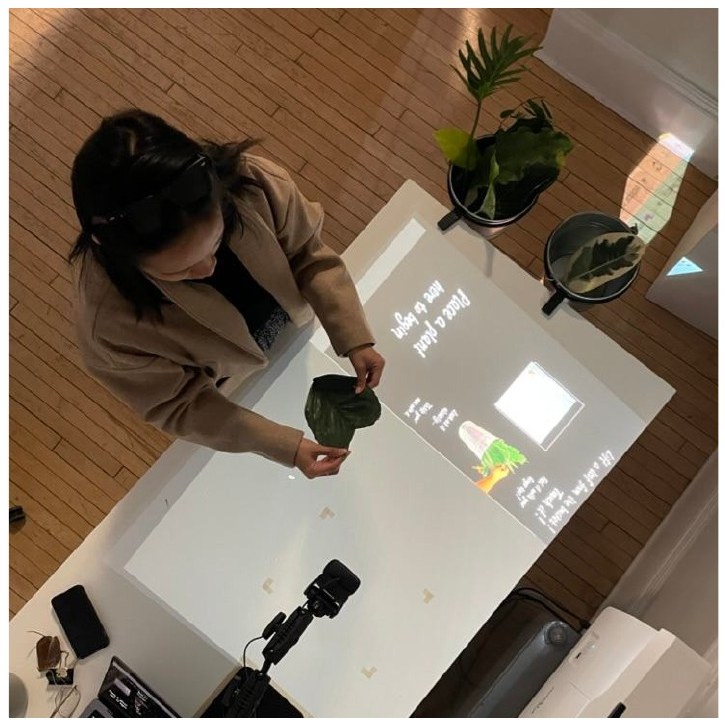
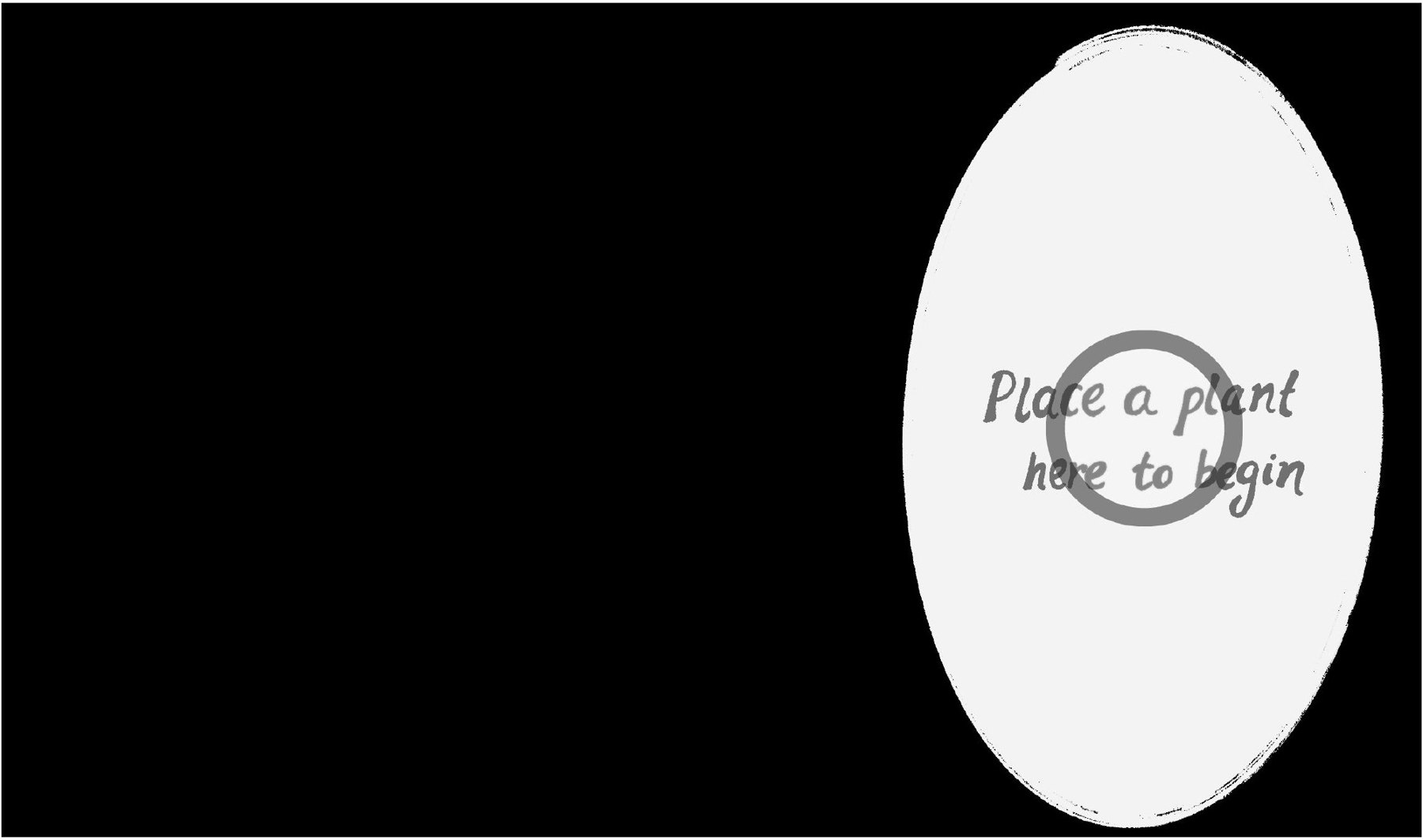
The first prototype ran on an iPad screen. For the final table we moved everything into the space: a webcam tucked into a potted orchid looks down at the table, a laptop runs the model in the browser, and a projector maps the interface onto the table, right around the leaf.
User interaction
From a leaf in the hand to a conversation on the table.
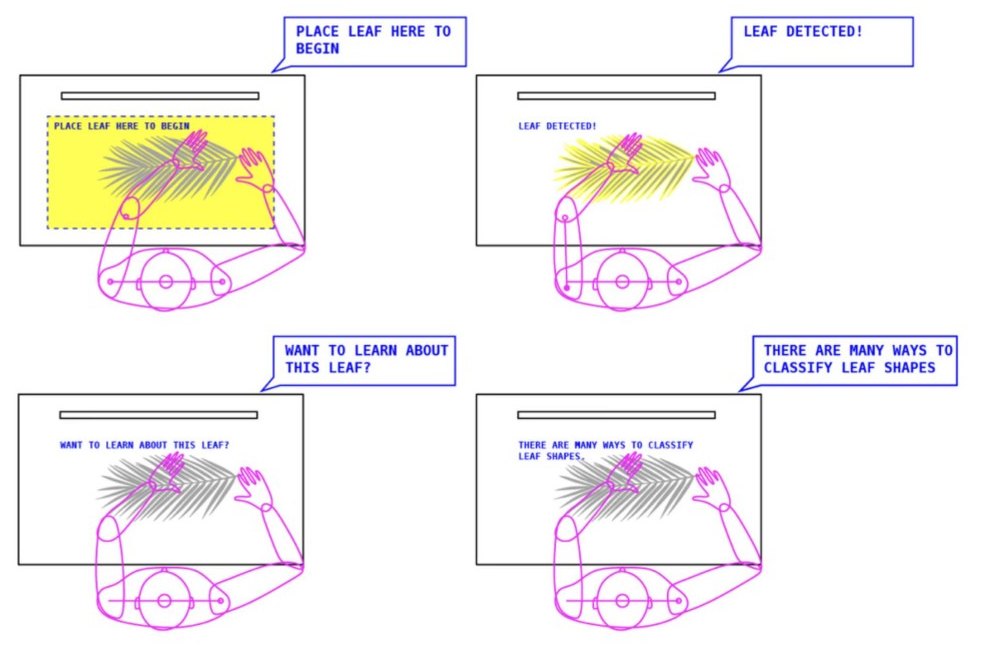
A visitor puts a leaf on the table and the system detects it. Every webcam frame goes through the model, which gives a probability for each of the 14 species. Once the top one is confident enough, the table responds.
x is the webcam frame, c one of the 14 species, zc the model's raw score for it. Softmax turns scores into probabilities that add up to 1; the table shows the most likely species. During training, cross-entropy loss pushes up the probability of the correct label y.
The UI is the result, and the visitor's answers are the input. Recognition opens a short quiz that builds botanical vocabulary, then a story about the plant. The dark, high-contrast layout reads clearly in a bright greenhouse.
A glass that feels good in the hand and reads in the sun
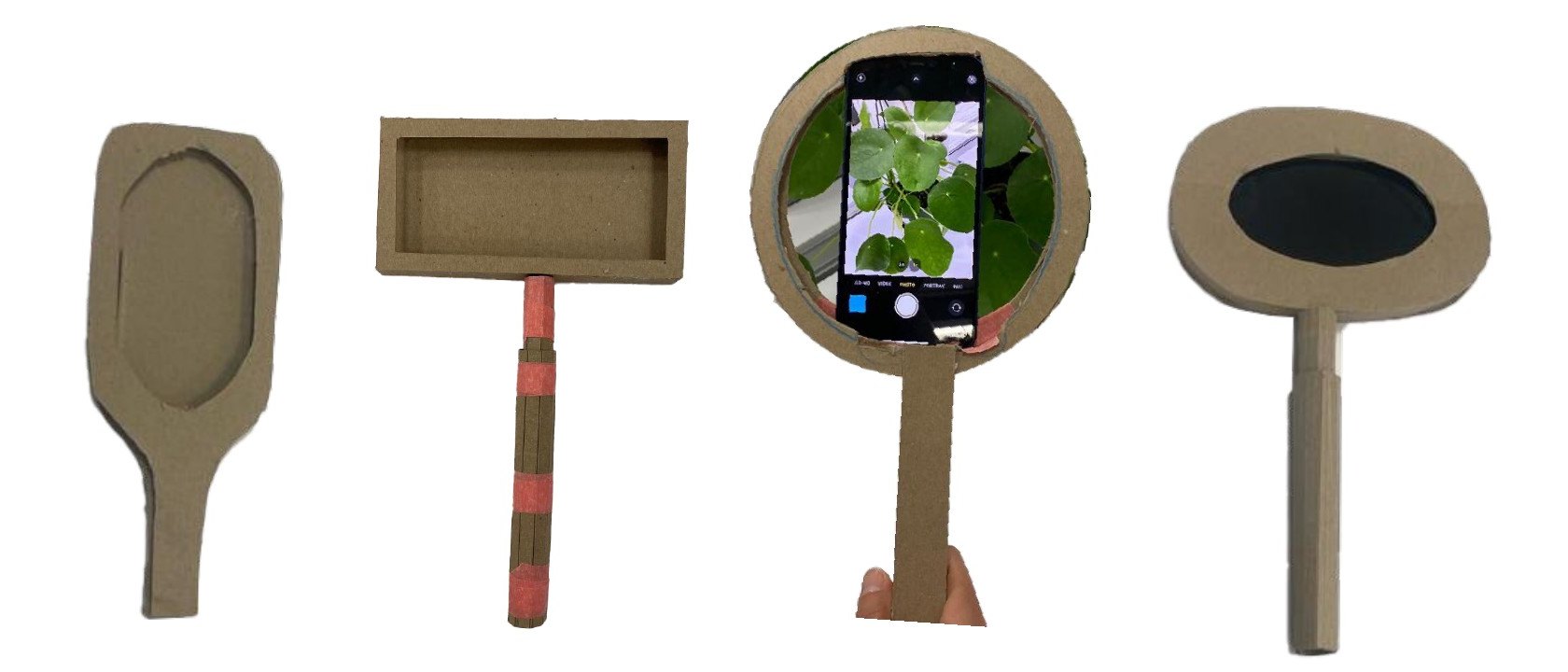
For the glass, a smartphone ran a plant-recognition app, with ProtoPie using the live camera as the UI background. I prototyped several physical forms around it, checking each for comfort and grip, not only looks.
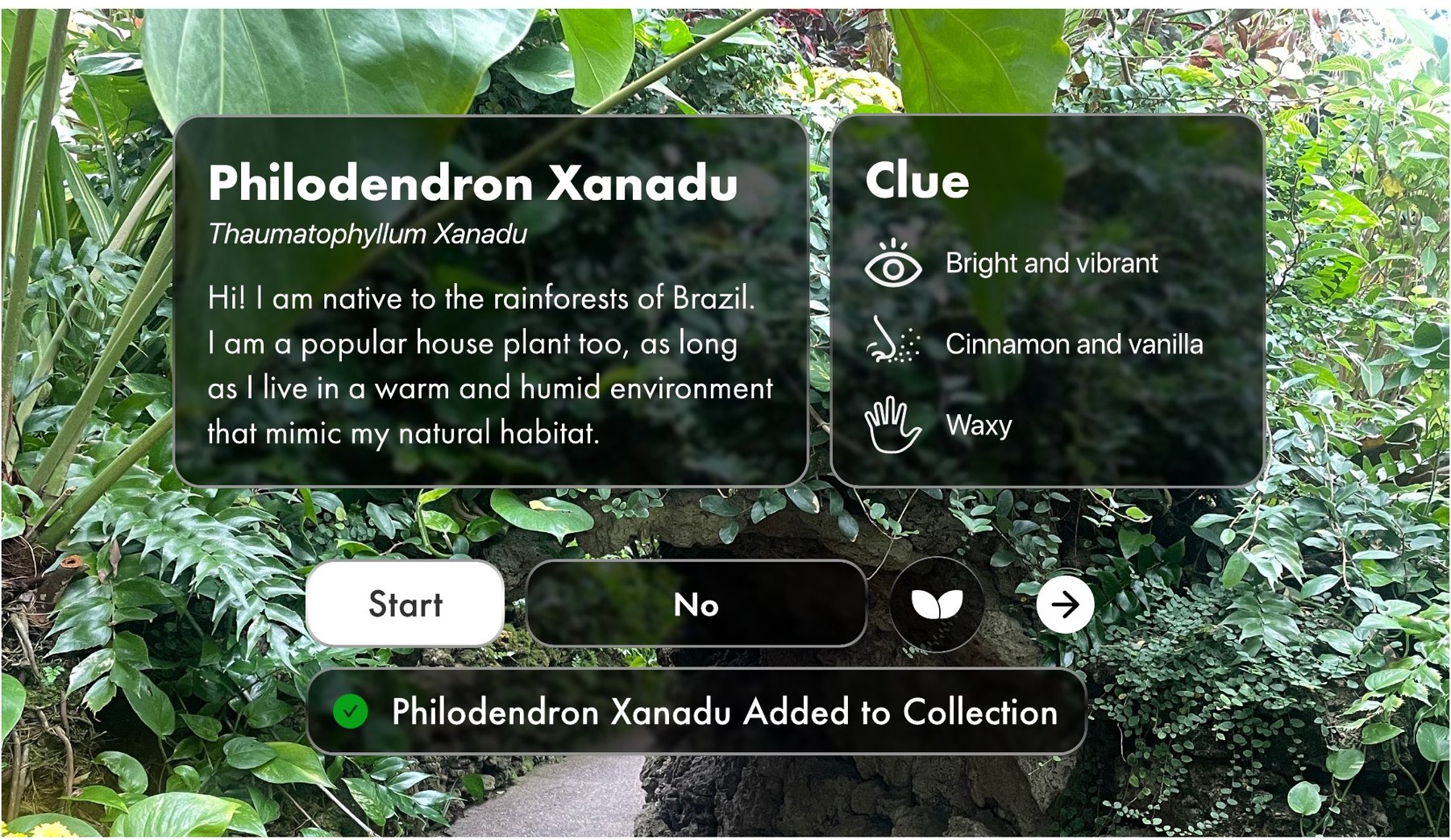
Designing for a green, bright room
The conservatory is full of natural light and green everywhere. To stand out without clashing, I used neutral black and white panels over the live camera view, matched to Phipps' visual identity. The clue card turns each sense into a prompt: what it looks like, what it smells like, how it feels.
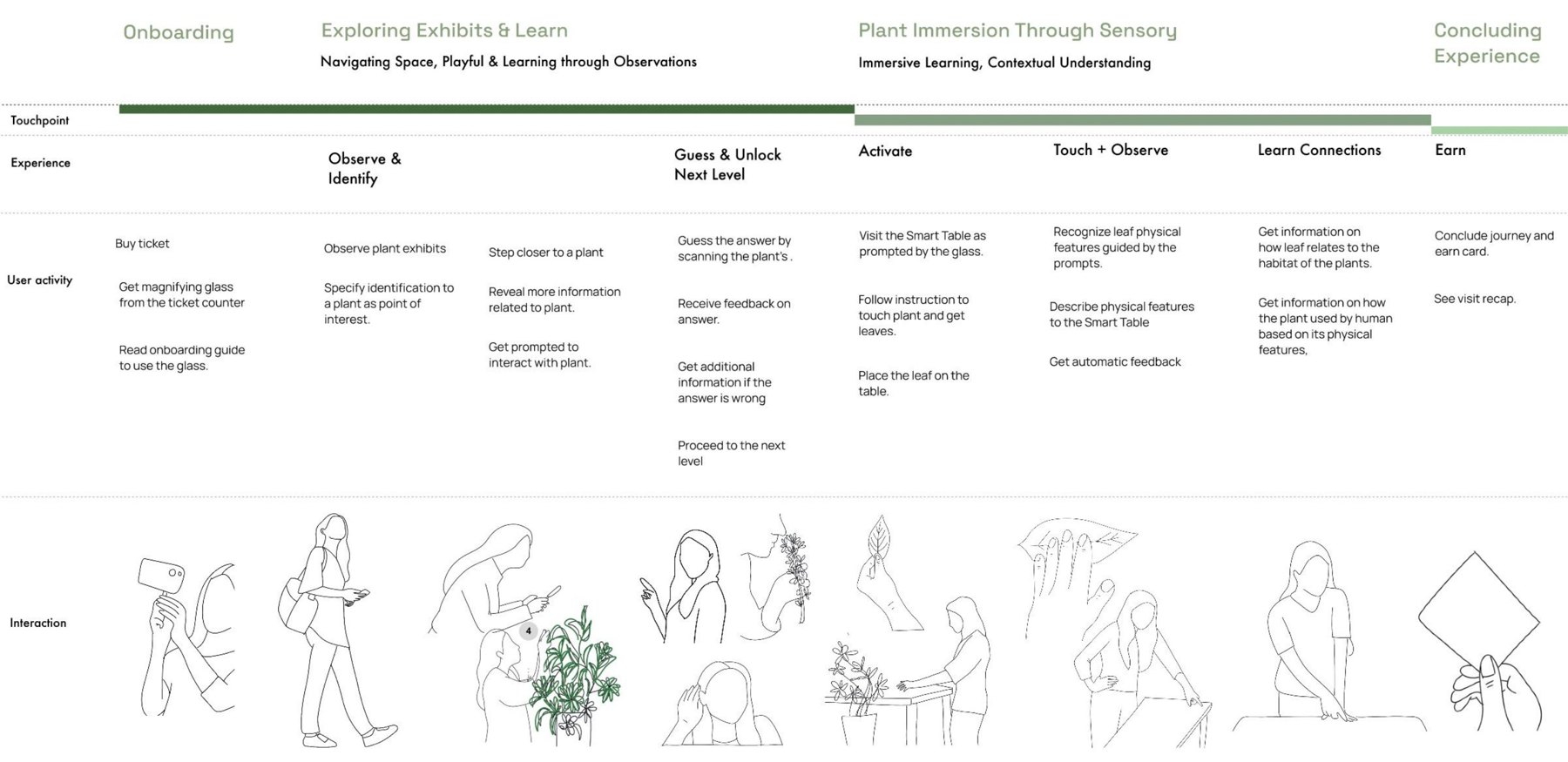
One visit, start to finish
What if visitors taught the table too?
We taught the model by example. Next time, I'd hand that same loop to visitors, so the table and the people learn together.
When the table is unsure, it could ask for help: "Is this A or B? What's different about them?" To answer, visitors have to look closely at the veins and edges, which is exactly what we wanted them to notice. The model learns from their answer on the spot.
It would also fix a practical problem we hit. A model trained in the fall is stuck with the fall's leaves; a table visitors can teach grows with the seasons and the collection.
Thank you
To my teammates Kimberly June Blacutt, Eugina Chun and Audrey Reiley, to Dina El-Zanfaly and Andrew Twigg, and to the visitors and staff at Phipps Conservatory who shared their time and their leaves.