Origami Sensei
A folding teacher that watches your paper, works out which step you're on, and projects the next fold right onto the sheet in your hands.
Qiyu Chen*, Richa Mishra*, Lia Sparingga Purnamasari*, Dina El-Zanfaly, Kris Kitani
*equal contribution
Co-first author. Co-led the project as a Graduate Research Assistant with Dina El-Zanfaly and Kris Kitani.
Carnegie Mellon University, School of Design and Robotics Institute
iPad, pico projector, YOLOv2 and GroundingDINO for paper detection, OpenCV, Python and Flask, HTML and JavaScript
The paper
Origami Sensei: A Mixed Reality AI-Assistant CHI 2025 · Yokohama, JapanIn a nutshell: when instructions appear on the paper itself and follow your progress, beginners stay focused and finish faster than with a video.
We built Origami Sensei and compared it with ordinary video tutorials in a study with 18 beginners.
People finished faster, barely had to stop and fiddle with controls, and felt far more engaged. There was a trade-off too: they made more mistakes, because they couldn't peek ahead at the next step the way a video lets you.
A video can't see your hands
Learning a hands-on craft alone is hard. Videos and diagrams show what a fold should look like, but they can't tell you whether yours is right. Some folds look different from different angles, and 3D folds are hard to show in 2D. Without feedback, beginners get stuck, guess, or give up.
No feedback
A video plays the same way whether your fold is right or wrong.
Constant pausing
Eyes jump between screen and paper. Hands leave the paper to pause, rewind and replay.
Special gear
Earlier mixed reality origami tools needed marked paper, sensors, or a black background to work.
Our question: can an AI that sees your paper, and a projector that draws on it, make learning a hands-on craft feel more like having a teacher beside you?
Why origami? It has a standard set of folds, needs nothing but paper, and is mostly flat, which makes it much easier for a camera to read than crafts like knitting or welding.
Still origami, just with a teacher drawing on the paper
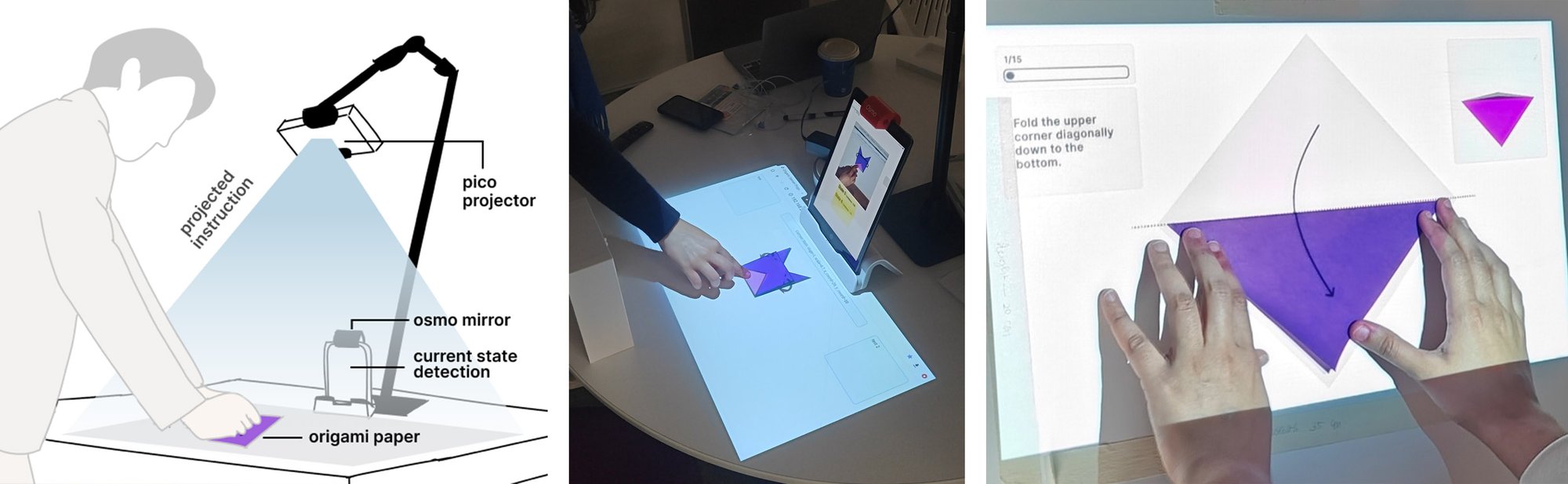
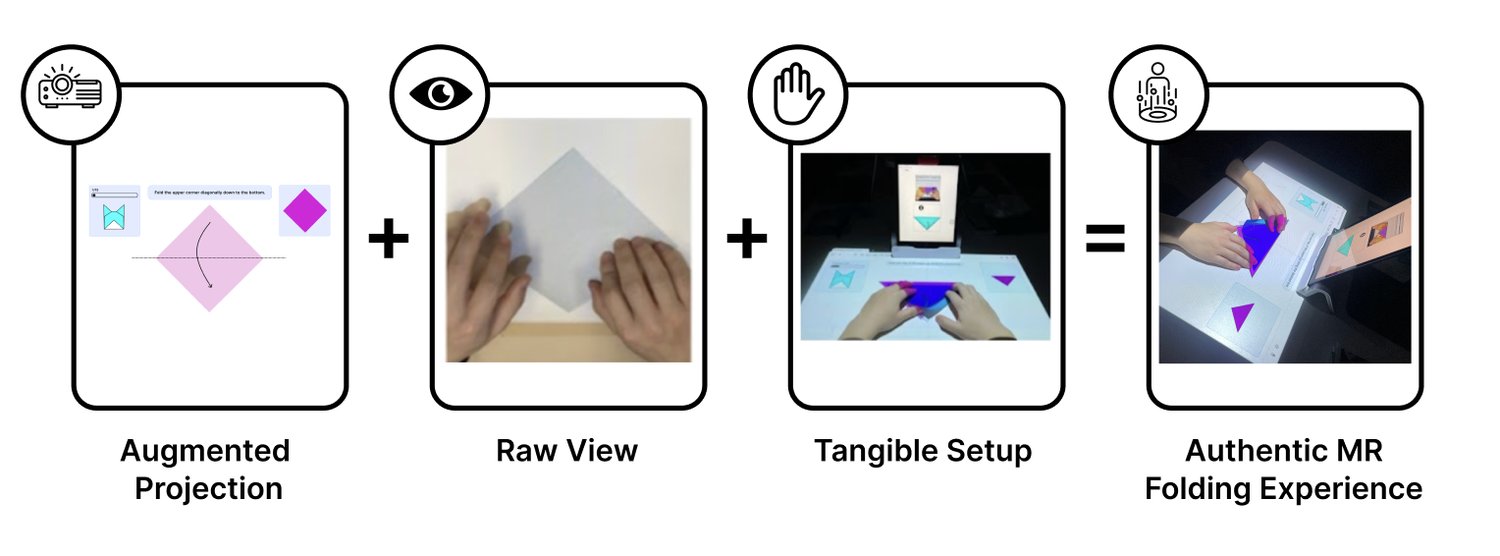
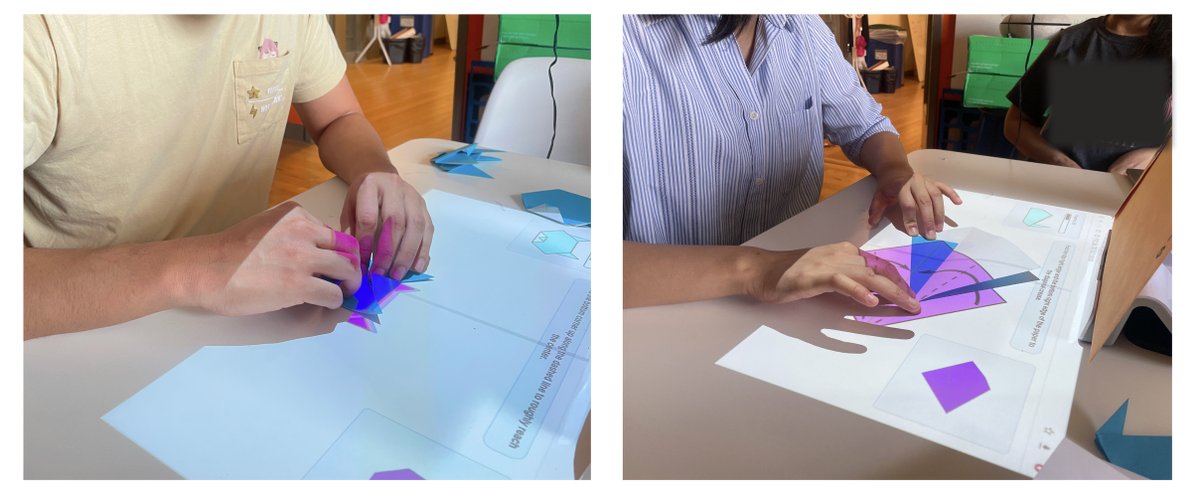
We kept everything a folder already knows: real, unmarked origami paper, a normal table, sitting down. The technology stays out of the way. An iPad with a small mirror clipped over its camera watches the table while its screen faces you, and a pocket projector draws instructions straight onto the sheet.
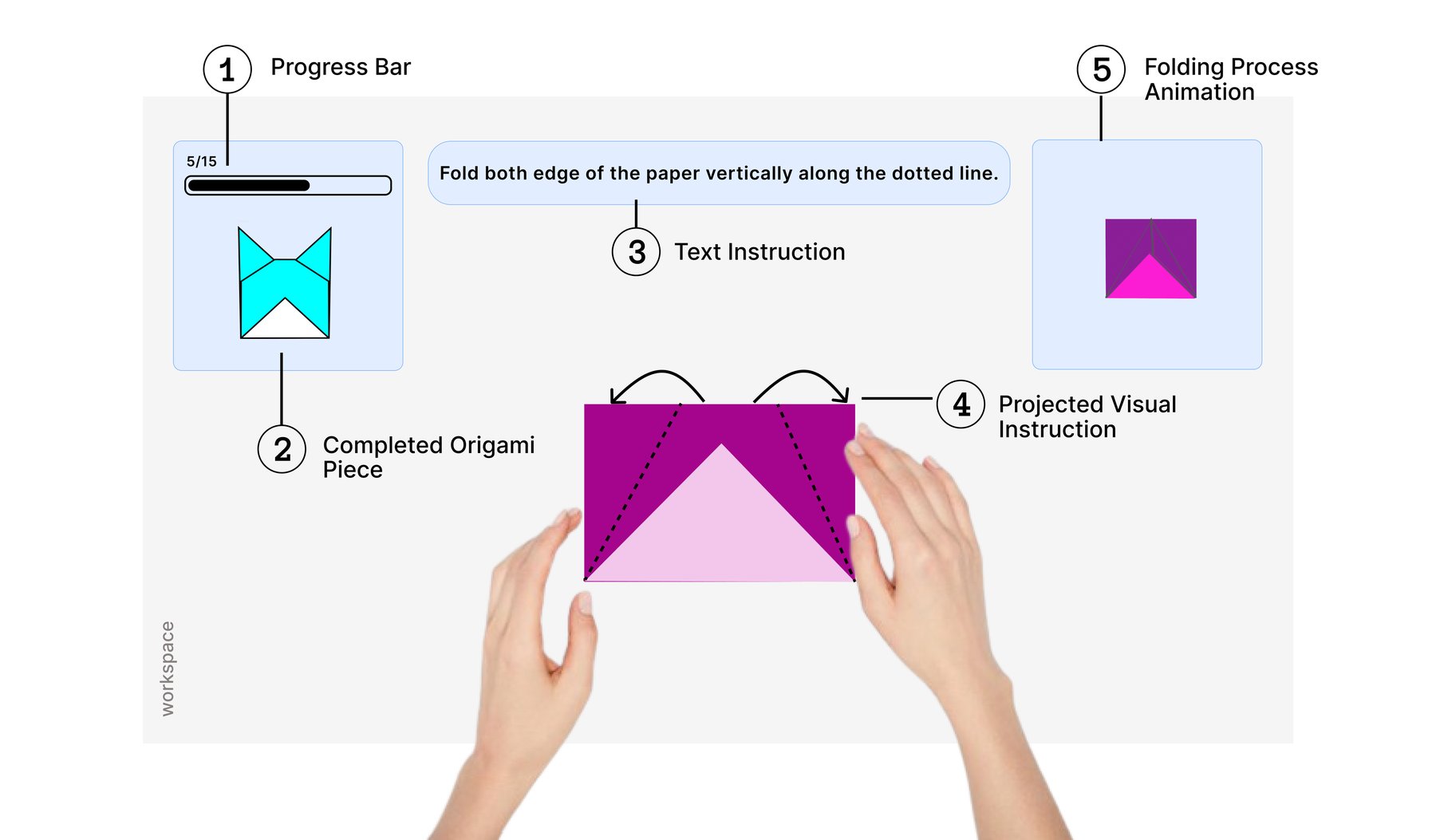
Shows how far along you are.
A picture of the goal. The pilot showed this kept people motivated.
One plain sentence for the current fold.
Where to fold and which way, drawn on your sheet and following it as it moves.
A short loop of the fold in motion.
Design principles, from experiential learning
What the pilot changed
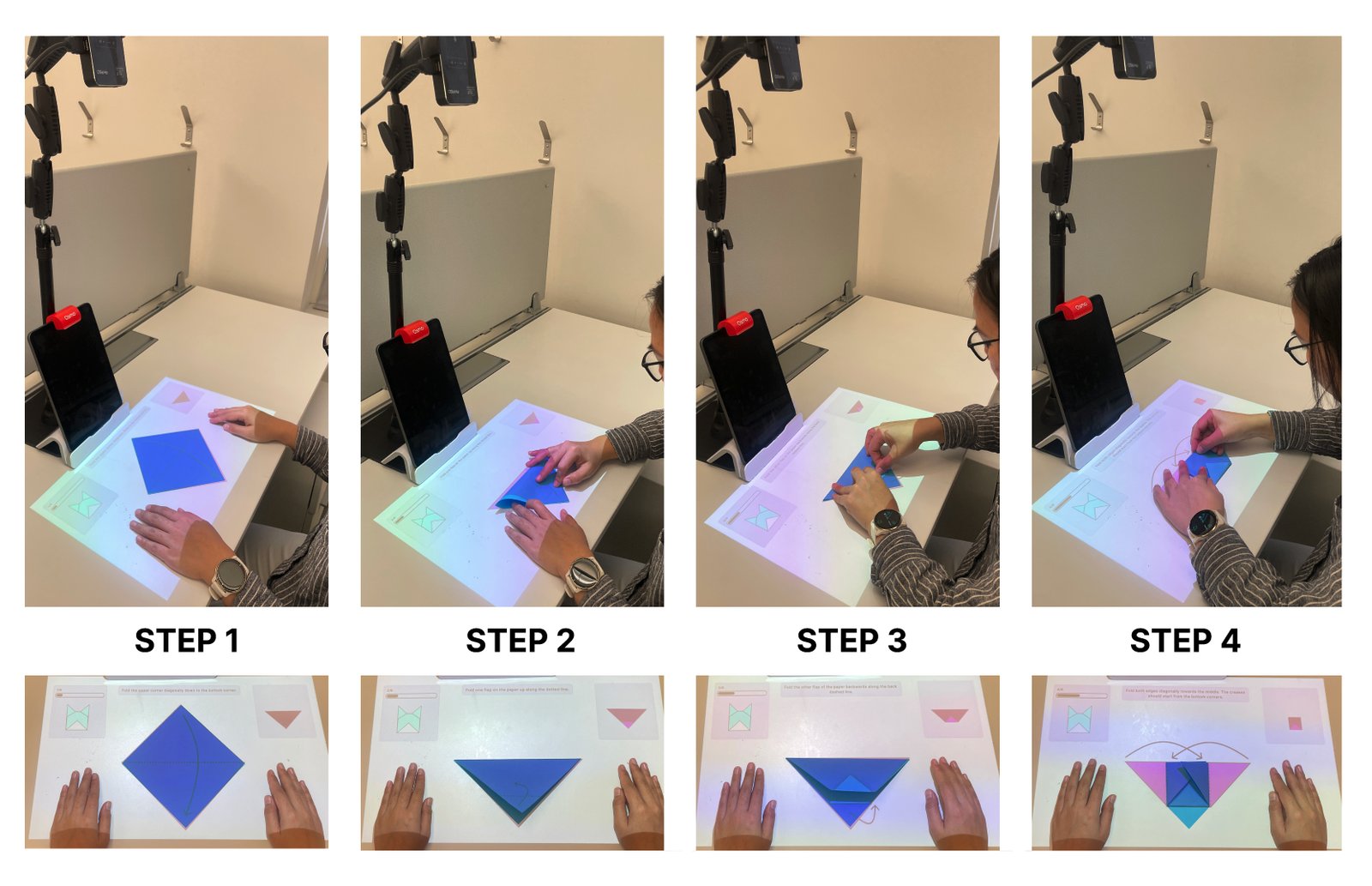
Five people tried an early version. Error messages were too low in contrast, gradient colors in the animations were confusing, and the projected diagram didn't match the size of the real paper. We made error correction simpler, cleaned up the colors, and added settings so diagrams line up with the actual sheet.
Teaching a camera to read origami
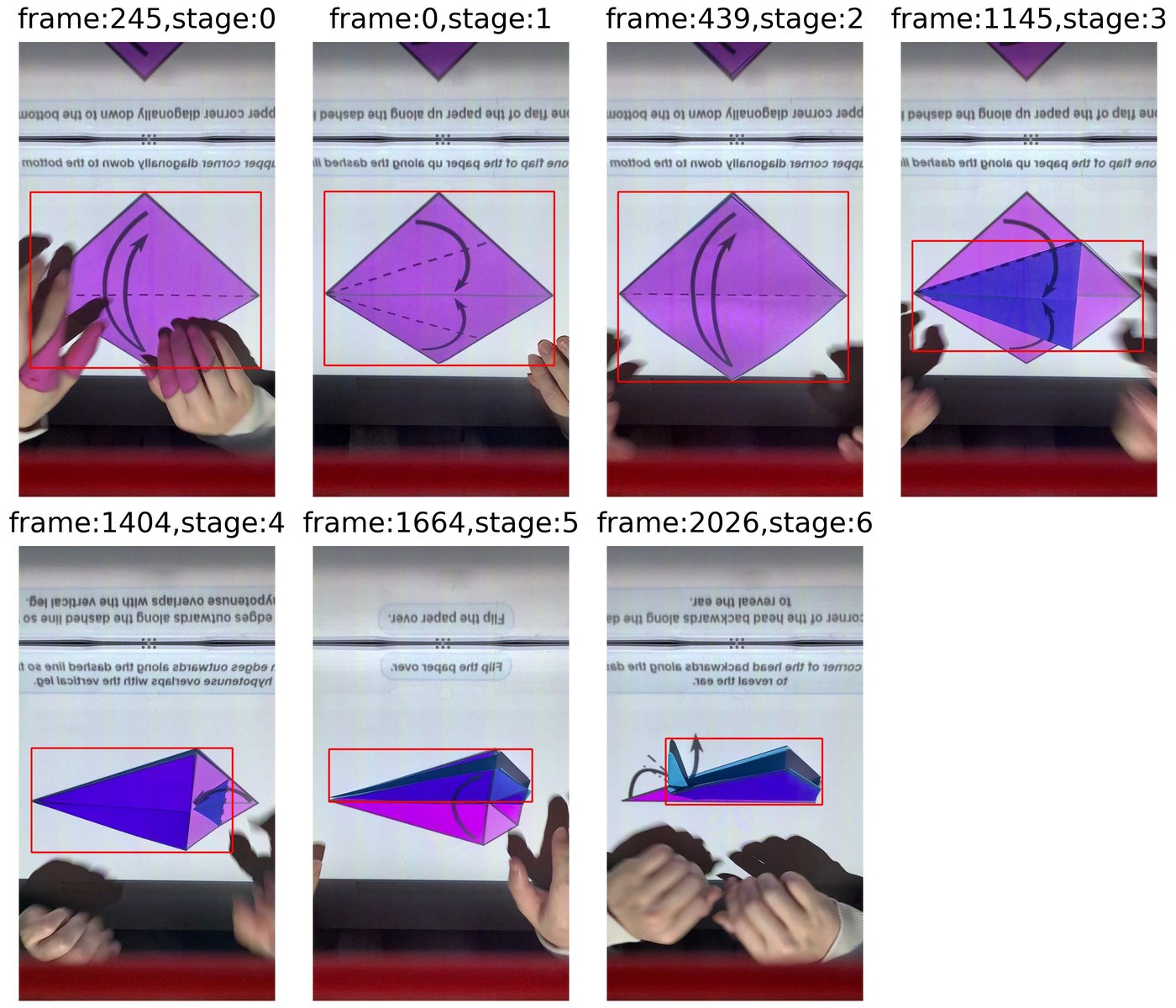
The AI has two jobs: recognize which step the paper is at, and find where it is on the table. We trained our own model for each origami design ahead of time, then ran it live on the iPad 30 times a second. Everything else is about getting the drawing to land in exactly the right spot.
normal light, dim light, blank screen
10 per second, about 7,000 per design
mark where a step changes, fill the rest
GroundingDINO finds the paper
YOLOv2, made small enough for the iPad
iPad camera, looking down via a mirror
which step, and where the paper is
map one corner from camera to table
scale it to a 15 cm sheet
a small server streams it live
fold lines, text and animation on the paper
The model trained beforehand (top) is what lets the live loop (bottom) recognize each step, 30 times a second.
1. Building the training data
For each design we filmed people folding under three conditions: normal use, a dim room, and a blank projection in case the instructions ever went wrong. We marked by hand the moment each step changed and filled in the frames between. Instead of drawing thousands of boxes by hand, we let GroundingDINO, an AI that finds objects from a text description, draw them for us. Without it, preparing the data would have taken at least four times as long.
2. Teaching it to recover
Early on, one wrong guess could confuse the model for good: it would mistake the wrongly projected shape for the paper. So we filmed extra videos with every possible diagram projected onto hard steps, letting the model learn to correct itself. We also added footage of shared starting steps to balance the data.
3. Landing the drawing on the paper
The camera sees the table at an angle through the mirror, so positions need correcting. We calibrate once with OpenCV, and only one corner of the detected box needs converting, which keeps things fast. The diagram is then scaled to the real paper and sent to a web page that the projector shows. We used a web page because the projector had no software interface of its own.
Three designs, redrawn for the camera
We picked flat designs, since a small projector can only draw in 2D, and simplified some steps so each one looks distinct to the model. We also created the animations and text for every step.
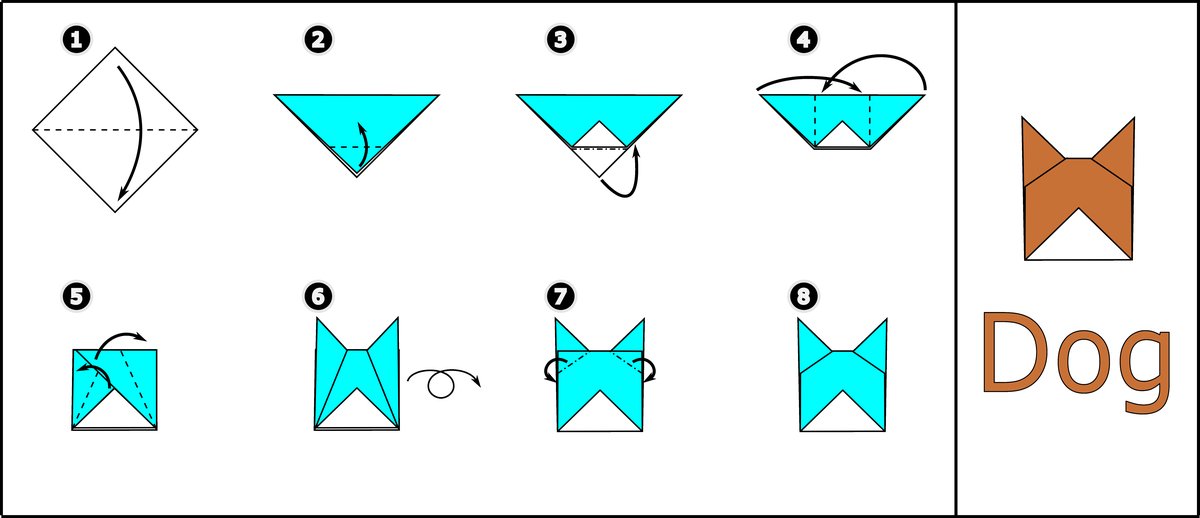
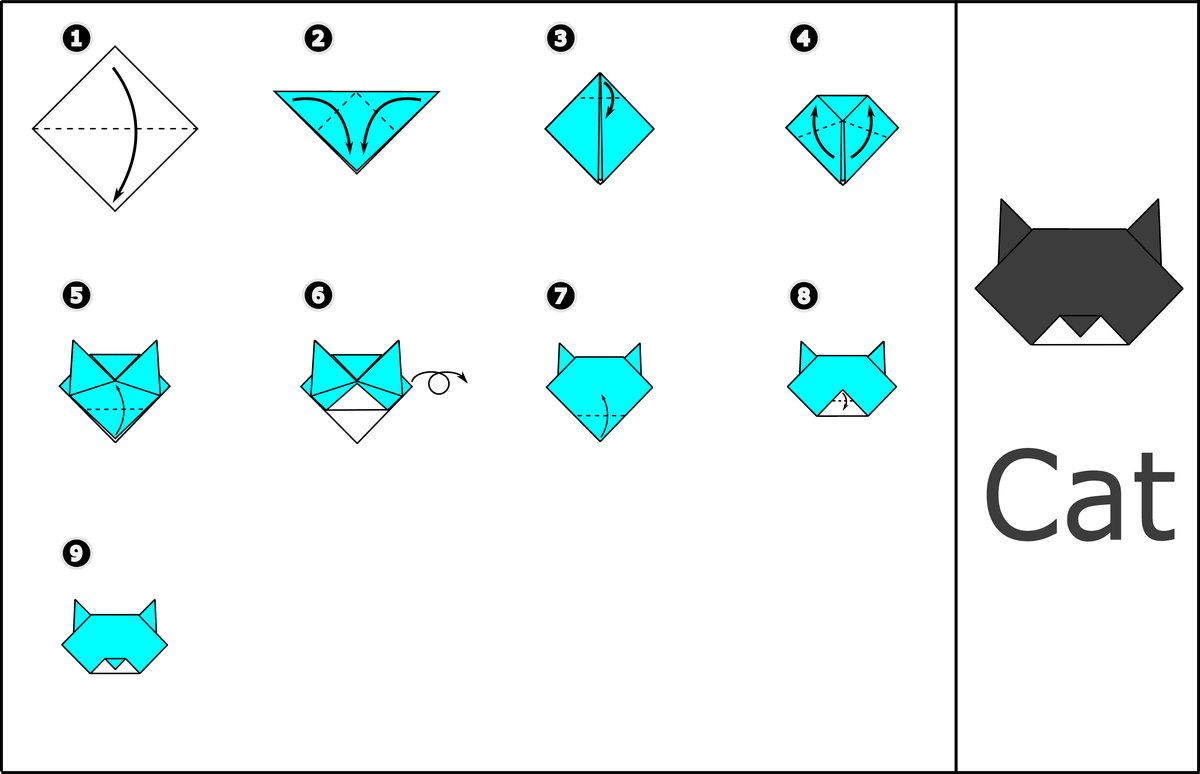
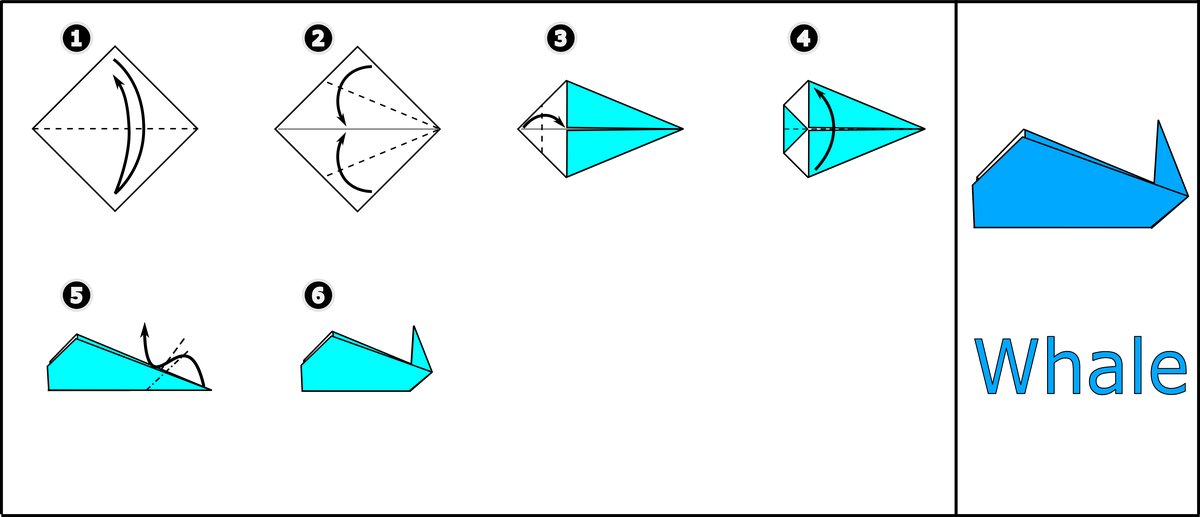
18 beginners, two ways to learn
Every participant folded one model with Origami Sensei and another with a YouTube video, with the order swapped for half of them. Both tasks had about eight steps of mostly flat folds. Most people knew a little origami, and 17 of 18 had never used mixed reality to learn anything.
Time to finish, number of mistakes, and extra actions like pausing.
Adapted from the standard System Usability Scale: ease, feedback, engagement, focus and more.
Short conversations about what helped, what got in the way, and why.
Faster and more focused, with less room to look ahead
People preferred Origami Sensei. Both methods felt about equally easy to use and equally clear, but Sensei did much better at guiding people, giving feedback and holding attention.
"I can feel that the instruction appears as I do the task and the system is actively detecting my work, whereas in video, it's very passive."
P6
"The projection of instructions on the paper made it easier for me to concentrate and kept me involved in the task without needing to pause."
P15
"It has similar ways of working with what I've been seeing in the past, so I intuitively understand how it works."
P4
The trade-off: more mistakes
People made more folding errors with Origami Sensei (about 1.1 per task vs 0.6 with video). A video lets you watch ahead and spot trouble before it happens. Sensei only shows the next step once the current one is done. Even so, people felt slightly more likely to remember the steps afterwards, after spending less time.
Designing AI teachers for hands-on skills
What's next
Harder designs, including true 3D folds that a flat projection struggles to show. Less manual labelling, with more help from pre-trained AI. Controls to pause and preview. And longer studies to see whether people actually remember what they learned, in origami and other crafts like ceramics.
Thank you
To my co-authors Qiyu Chen and Richa Mishra, to Dina El-Zanfaly and Kris Kitani for advising, and to the 18 people who folded dogs, cats and whales with us.
Back to all work