Magic Easel
A drawing easel that looks around the room, finds objects that relate to what you are drawing, and quietly projects AI-generated inspiration at the edge of your paper when you pause.
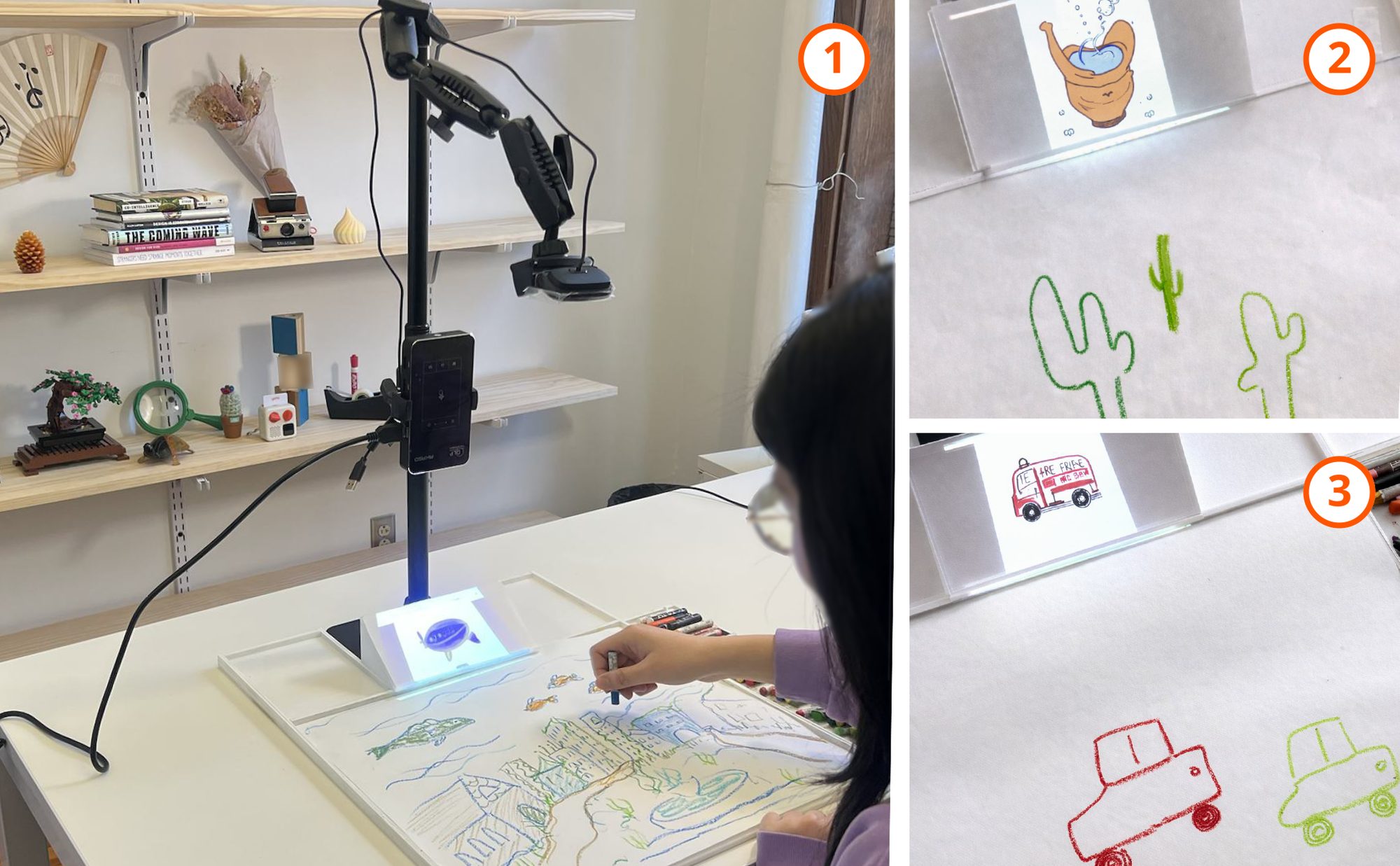
Lia Sparingga Purnamasari*, Hanke Chen*, Shivani Kannan, Joseph Ratliff, Haeyoung Kim
*equal contribution
Co-first author. Designed and evaluated Magic Easel as a Graduate Research Assistant with Haeyoung Kim.
Carnegie Mellon University, School of Design, Pittsburgh
SDXL for images, GPT-4.1, object-finding models (GroundingDINO, SAM, CLIP), a small projector, NVivo
The paper
Magic Easel: Environment-Grounded Visual Inspiration for Gen AI Creativity Support NordiCHI 2026 · Vaasa, FinlandIn a nutshell: when AI ideas come from the objects around you, people explore more new directions. How closely those ideas match the drawing changes how people use them.
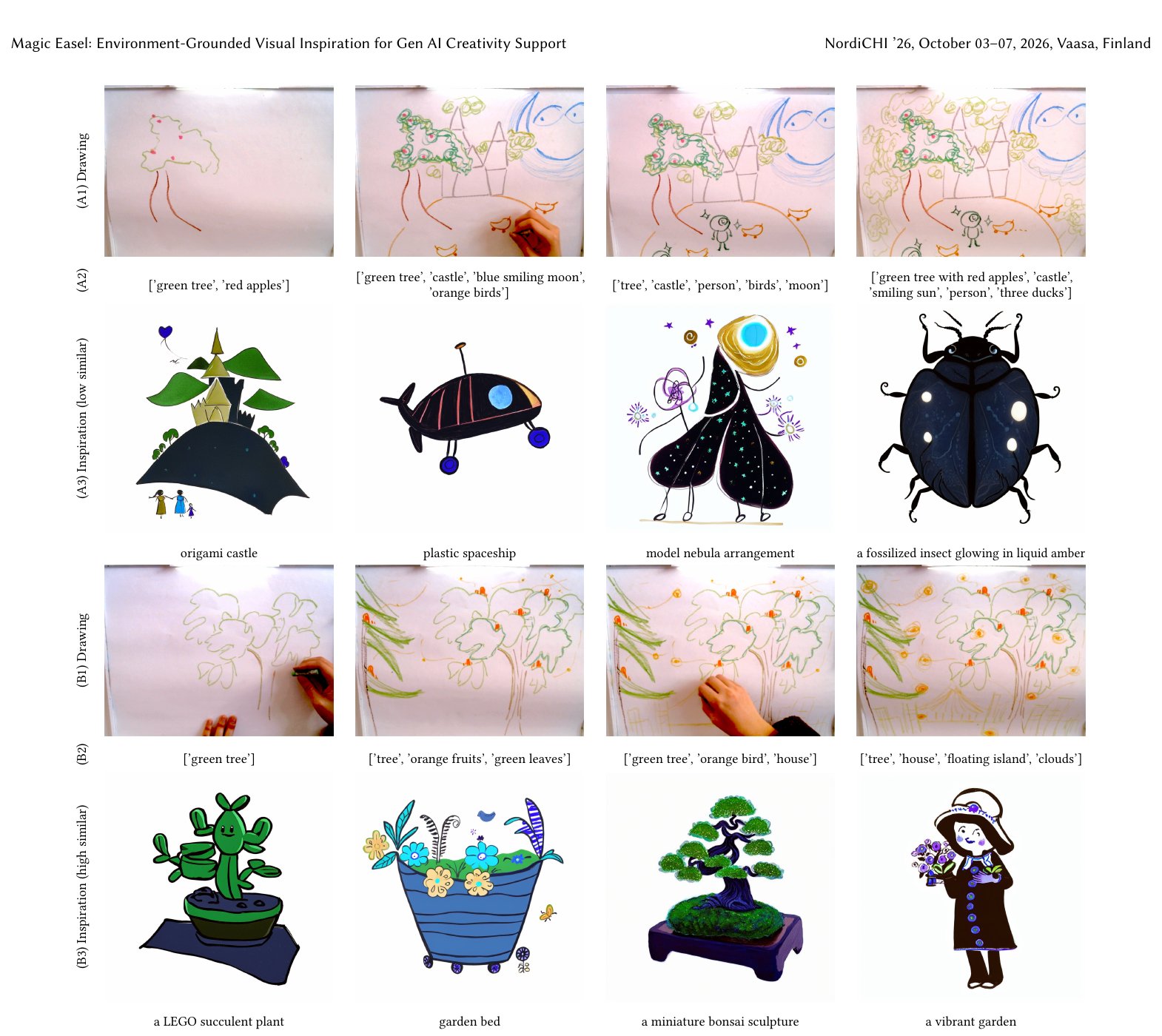
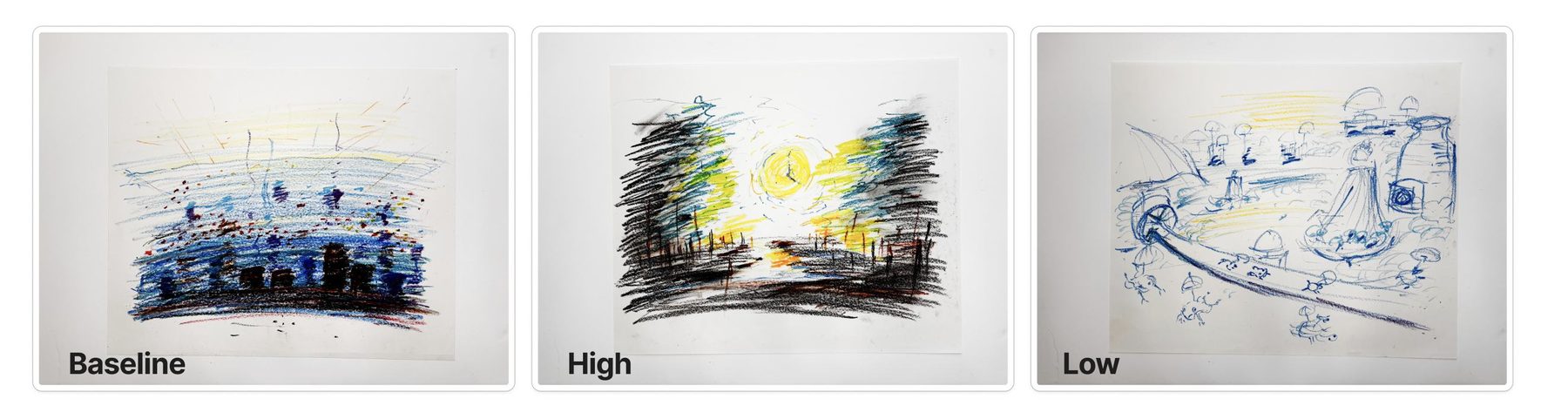
We built Magic Easel and tested it with 32 people. Each person drew three times: once on their own, once with AI images loosely related to their drawing, and once with images closely related to it.
The surveys showed no clear difference between the versions. The interviews and the drawings themselves told a richer story: with Magic Easel, people branched out into new ideas far more than when drawing alone. Earlier research found the opposite, that AI images tend to make people get stuck on one idea.
Read the paper on the ACM Digital LibraryAI creativity tools only know what you tell them
Most AI tools for creative work follow the same pattern. You type a request or upload a sketch, and the AI gives you something based only on that. The results tend to echo what you put in: in one study, nearly half of AI-suggested sketch ideas copied the original, and designers who saw AI images came up with fewer and less varied ideas. We saw three problems with this.
Limited to words
The AI can only help with what you manage to put into words or a sketch.
Only on request
You have to ask for ideas every single time. They never just show up on their own.
Stuck on screen
It leaves out paper, hands and the room around you, which artists have always drawn ideas from.
Our question: what happens when an AI takes ideas from both your sketch and the room you are sitting in? And does it matter whether those ideas are closely or loosely related to what you are drawing?
Paper stays primary. The AI stays at the edge.
Artists borrow from their surroundings all the time: tree bark becomes fish scales, a leaf becomes a fin. Magic Easel lets the AI do the same. It looks at both the drawing and the objects in the room, and the person never has to stop drawing to type anything.
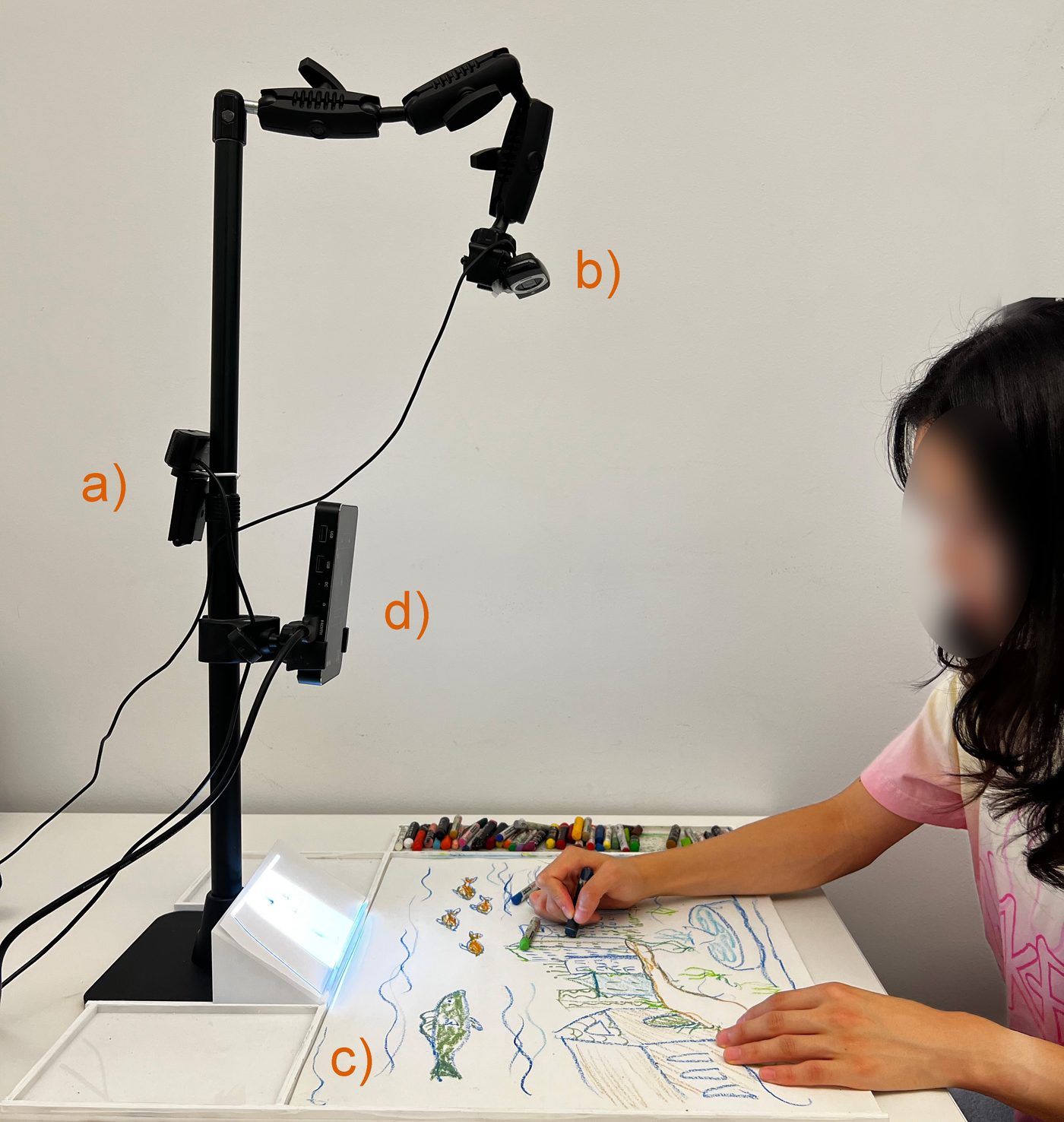
Captures the objects around the person.
Watches the drawing as it evolves.
Plain paper and crayons. No screen to look at.
Shows the AI images beside the drawing, never on top of it.
Design rationale
Heavy work before the session, fast work during it
To make images appear within seconds, we split the work in two. Before anyone sits down, the system photographs the room and builds a library of every object in it, each with a short written description. While someone draws, it reads the drawing, picks a related object from that library, gives the idea a creative twist, and generates an image that blends into the paper. Image generation runs on a single graphics card (NVIDIA RTX 4080), controlled from a laptop.
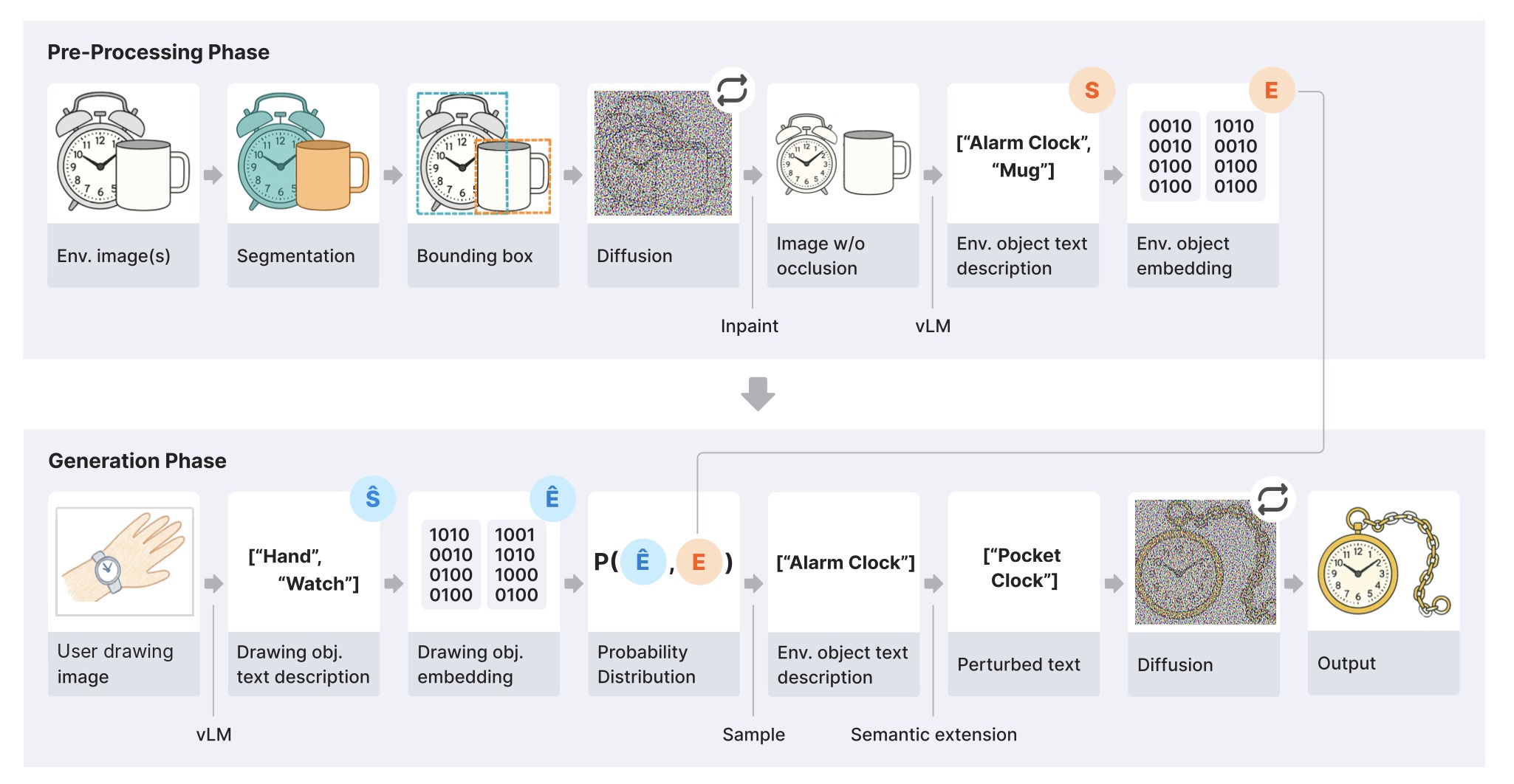
Pre-processing: turning the room into a library
Heavy, slow work done once before the session, so nothing has to wait while someone draws.
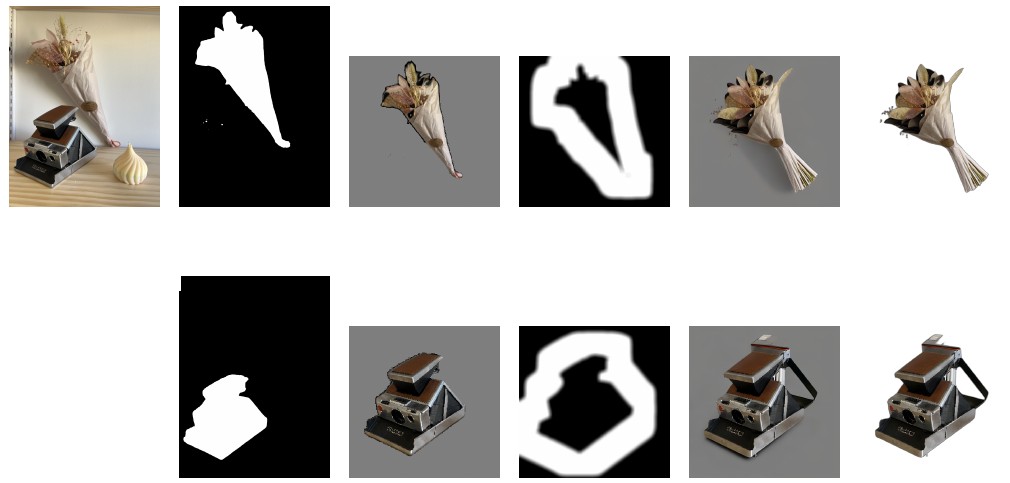
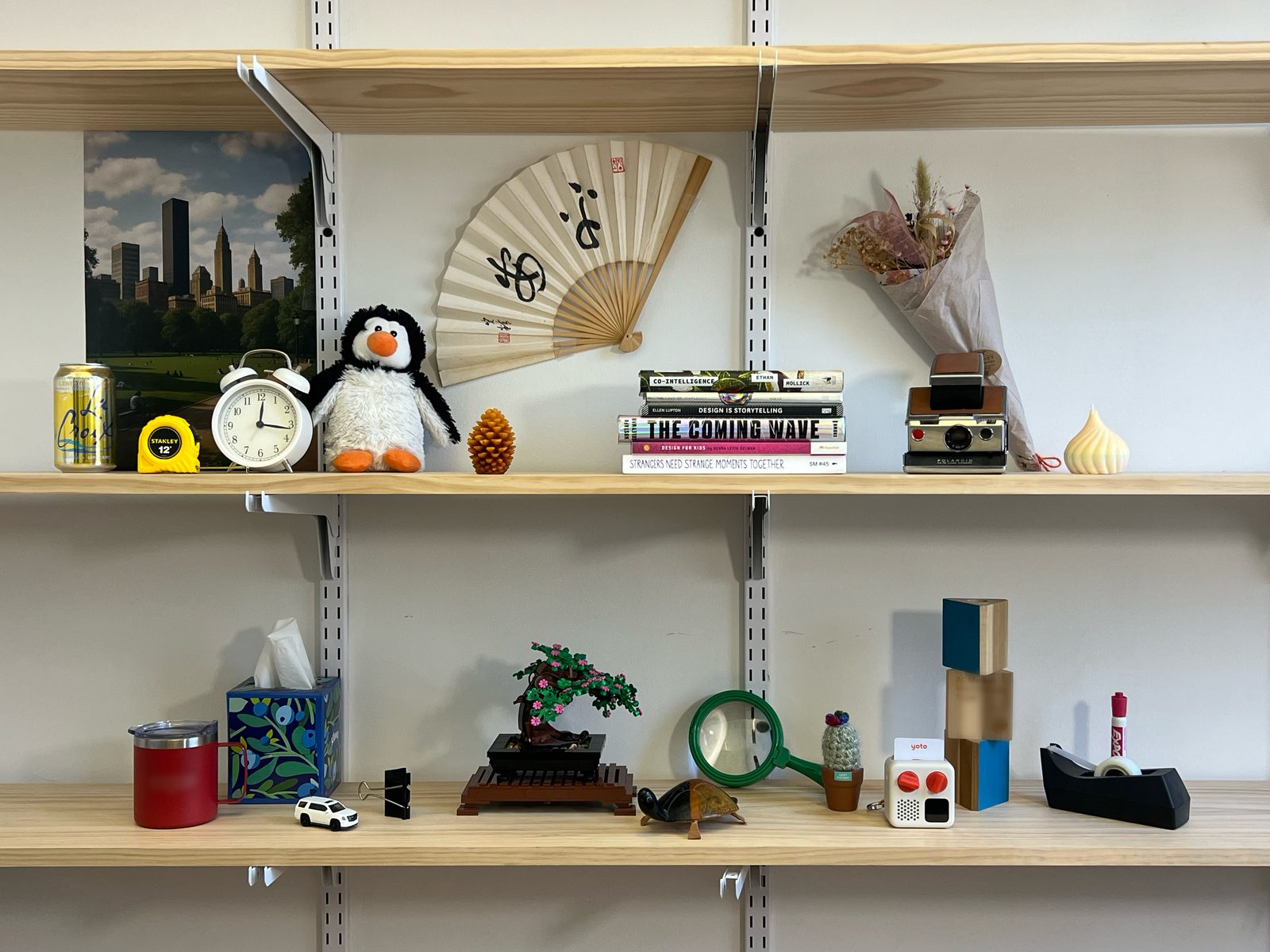
A camera takes several photos of everything in view. In the study, that was a fixed set of 24 everyday objects, from a tree to building blocks.
Off-the-shelf models can cut objects out but not name them, so we chained four: a vision-language model (vLM) suggests what might be there, GroundingDINO draws labeled boxes, SAM cuts a precise mask inside each box, and CLIP double-checks every label.
Objects on a shelf overlap. SDXL lightly inpaints along each mask edge on a flat gray background, giving a clean, occlusion-free object. Gray is neutral for diffusion models and matches how many training images show "empty" space.
The vLM writes a short description of each clean object (set S), and each description becomes a text embedding (set E). Together they form the Environment Context Embedding, the library of the room.
Generation: from a drawing to an inspiration
Fast work during the session, triggered each time the person pauses.
After 30 seconds without drawing, the web camera takes a photo of the page. Waiting for a natural pause keeps the system from interrupting.
The vLM lists what is on the paper, like "hand" and "watch" (set Ŝ), and turns each into an embedding (set Ê) in the same space as the room library.
Pick one drawn object at random, score how related it is to every object in the room, then run a weighted lottery. Related objects are favored, but a surprise is always possible, which helps break fixation.
ê is one drawn object's embedding, ei each object in the room. Cosine similarity scores how related they are; the sharpening factor α decides how strongly the lottery favors close matches.
The chosen object, say "alarm clock", is nudged to a nearby idea, like "pocket clock". The size of the nudge is what separates the two study conditions.
A small random step B away from the chosen object's description s0, sized by the similarity level τ. Random vectors would land on nonsense, so GPT-4.1 takes the step in words, guided by these examples:
It also sees its past answers, so it doesn't repeat itself.
SDXL starts from the photo of the drawing, adds heavy noise, then removes it guided by the new prompt σ. The result picks up the paper's colors. The background is cut away and the pico projector shows it at the edge of the page.
32 people, three cities, one shelf of objects
Every participant (20 with design or art backgrounds, 12 without) tried all three versions: drawing alone, the far version and the close version. Each time they drew an imaginary city in the sky, in the water or in the forest, in random order. To keep things fair, every session used the same shelf of 24 everyday objects.
12 questions adapted from a standard creativity-tool questionnaire, plus "which drawing are you most satisfied with?"
Open conversations after drawing, plus notes on where people looked, paused or lit up.
Statistical tests on the survey. Four researchers sorted the interviews in NVivo to find recurring patterns.
Surveys saw nothing. The drawings saw a lot.
Average survey scores landed right in the middle. That's because about half the people clearly preferred the far version and half preferred the close one, so the two groups canceled each other out. People were also about equally happy with all three of their drawings. The interviews showed what was really going on.
How often people branched into new ideas
Share of interview moments where people described heading somewhere new. Both versions raised it well above drawing alone, and the close version nearly doubled it. Earlier studies found AI images usually do the opposite.
People borrowed shapes directly and imagined who might live in their world. It helped most when someone felt stuck.
People picked up the overall theme and invented rules for how their world works. The ideas were more surprising, and sometimes too far-fetched to connect.
"I saw a large jar. I thought that could be the power factory. I drew a can of air, and some kind of fan just blows the air out."
P17
"After five minutes, this might be too boring. Then, images that popped up made me think harder about what else could be in there."
P23
"The prompt gave me the image I needed. I'd take those elements and expand on them. It felt like we were creating."
P04
The surprise: people started building worlds
The AI images were a little open-ended, and people filled the gaps with stories: creatures with jobs, rules for how a city runs, ecosystems that had to coexist. These worlds went beyond both the task and any single inspiration.
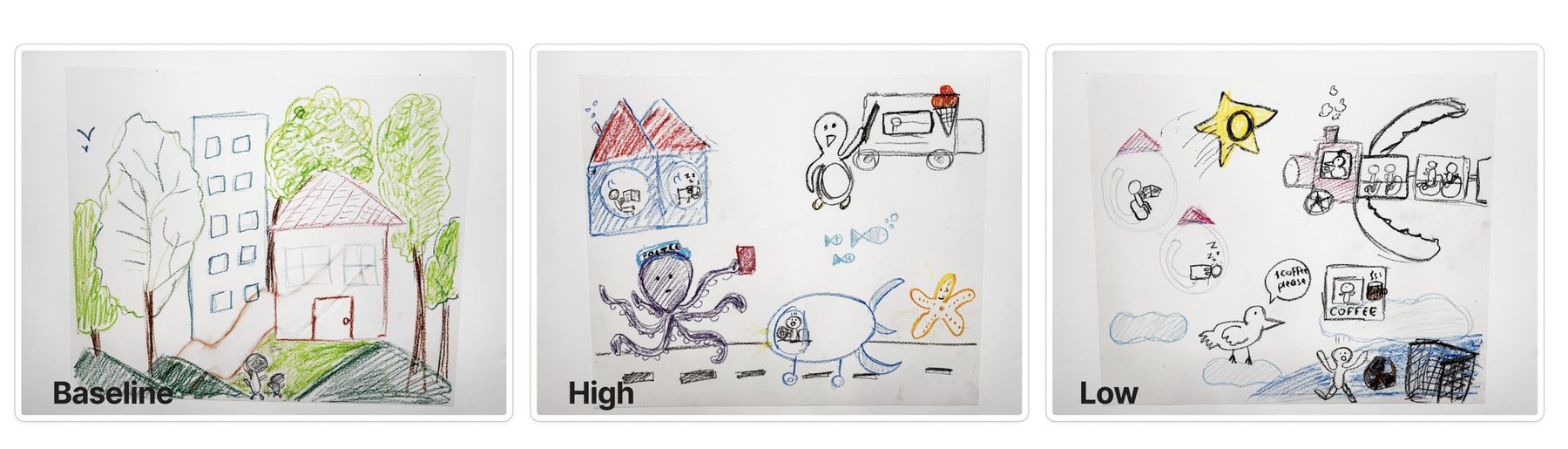
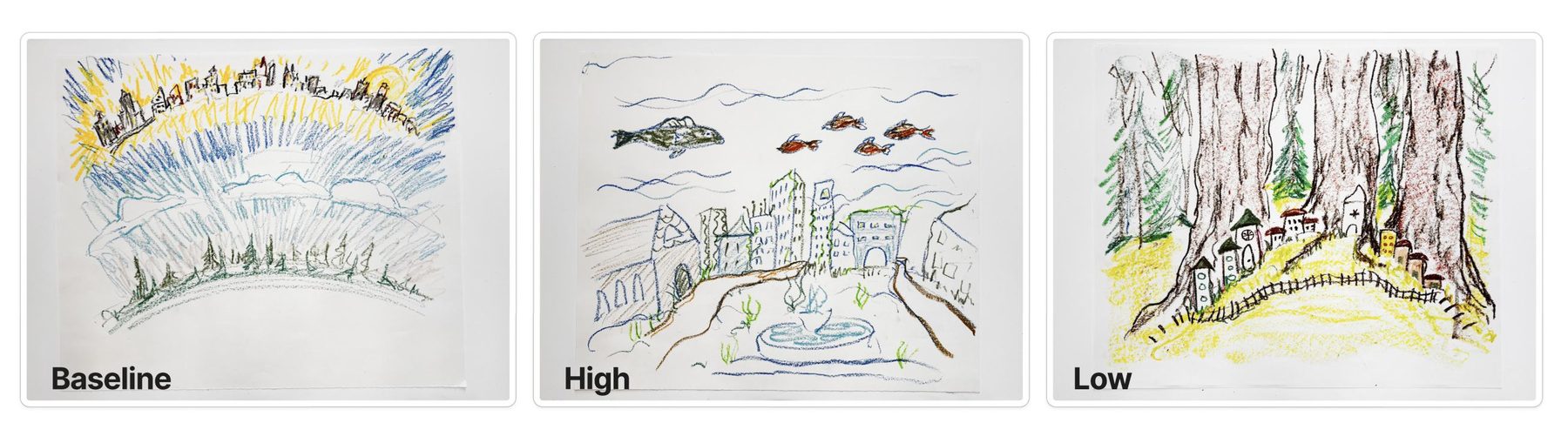
Helpful, even when people said it wasn't
Some people said the images didn't help, then borrowed from them anyway ("the only thing that I took was the mountains in the back"). When help comes quietly from the side, people may not notice it. Surveys alone can miss that, so tools like this should also be judged by what people actually do.
Designing creativity support that doesn't ask for attention
What's next
Testing Magic Easel in people's own homes and studios with their own things, trying a wider range of close and far settings, and working with children, for whom playful, hands-on making might matter most.
Thank you
To my co-authors Hanke Chen, Shivani Kannan and Joseph Ratliff, to Haeyoung Kim for advising, and to the 32 people who drew cities with us.
Back to all work